IRSA Queries (astroquery.ipac.irsa)
Getting Started
This module provides access to the public astrophysics catalogs, images, and spectra curated by the NASA/IPAC Infrared Science Archive (IRSA) at Caltech. IRSA hosts data from many missions, including Euclid, Spitzer, WISE/NEOWISE, SOFIA, IRTF, 2MASS, Herschel, IRAS, and ZTF.
The functionality in this module can be divided into three main categories: catalog searches, image and spectra searches, and miscellaneous tools. Below we provide an overview of these functionalities before giving detailed examples of each in the following sections.
Overview
Each catalog hosted at IRSA has a unique ID,
which can be found with the list_catalogs
method, and is the catalog parameter needed for the
query_region and
query_tap methods. The
query_region method performs simple
spatial queries (cone, box, polygon, all-sky) on a specified catalog, while the
query_tap method allows for more complex
ADQL queries to be sent to the IVOA Table Access Protocol (TAP) service
at IRSA. For either method, the sources meeting the query constraints
are returned as, or can easily be converted to, a Table object.
IRSA’s implementations of the IVOA
Simple Image Access v2 (SIAv2) and Simple Spectral Access (SSA) protocols can be
queried via the query_sia and
query_ssa methods to identify images and spectra
meeting query constraints. As for the catalogs, each image/spectra collection
has a unique ID string, which can be used to limit searches to a specific collection.
These can be found with the list_collections method.
Both query_sia and
query_ssa return a Table
listing metadata and access URLs for the identified images/spectra.
Separate (non-IVOA compliant) tools for performing moving object searches and accessing IRSA’s dust extinction service are provided in the most and irsa_dust modules, respectively.
Catalog Searches
Available IRSA catalogs
The query_region and
query_tap methods can be used to query
catalogs at IRSA that support TAP.
To get a concise list of IRSA catalogs available to query, use the
list_catalogs method.
The output consists of two fields for each catalog, the name of the catalog
and a very short description. To query a
specific catalog, the first field can be entered as the value of the
catalog parameter in the query_region method.
You can also use the filter argument within the
list_catalogs method
to return only the catalogs with their
name or short description matching to the specified string (case-insensitive matching).
>>> from astroquery.ipac.irsa import Irsa
>>> Irsa.list_catalogs(filter='spitzer')
{'spitzer.safires_images': 'Spitzer Archival FIR Extragalactic Survey (SAFIRES) Images',
 'spitzer.safires_science': 'Spitzer SAFIRES Science Image Metadata',
 'spitzer.safires_ancillary': 'Spitzer SAFIRES Ancillary Image Metadata',
 'spitzer.sage_images': 'SAGE Images',
 'spitzer.sage_mips_mos': 'Spitzer SAGE MIPS Mosaic Image Metadata',
 ...
 'spitzer.ssgss_irs_sl_ll': 'SSGSS IRS SL LL Spectra',
 'spitzer.swire_images': 'Spitzer Wide-area InfraRed Extragalactic Survey (SWIRE) Images',
 'herschel.hops_spitzer': 'HOPS Spitzer Metadata'}
To get a full list of information available for each available
catalog, use the full keyword argument. The output consists of many columns for each catalog.
The table_name column holds catalog names that can be entered as the catalog parameter in
the query_region method.
>>> from astroquery.ipac.irsa import Irsa
>>> Irsa.list_catalogs(full=True)
<Table length=951>
table_index schema_name          table_name          ... irsa_nrows irsa_odbc_datasource irsa_spatial_idx_name
   int32       object              object            ...   int64           object                object
----------- ----------- ---------------------------- ... ---------- -------------------- ---------------------
        101         wax                      cf_info ...     456480                  wax                SPTC01
        102         wax                      cf_link ...  204143440                  wax
        103     twomass                    ext_src_c ...     403811              twomass        EXT_SRC_CIX413
        104         wax                     ecf_info ...       2146                  wax              SPTETC01
        105         wax                     ecf_link ...     473971                  wax
        ...
Spatial search types
The query_region method performs queries
of a specified catalog using spatial constraints.
Four types of spatial searches are supported:
Cone search
A cone search is performed by using query_region with the
spatial parameter set to 'Cone'. The center (target name or coordinates)
of the cone search must be specified, and the radius can be
changed from the default value of 10 arcsec using the radius
parameter. The catalog to be searched must also be specified with the catalog
parameter (see above).
The coordinates of the center of the cone search can be passed using
the coordinates parameter and specified using a SkyCoord object or a
string resolvable by the SkyCoord constructor.
The radius of the cone search can be passed using the radius
parameter and specified in any appropriate unit using a Quantity
object or entered as a string that is parsable by Angle.
>>> from astroquery.ipac.irsa import Irsa
>>> from astropy.coordinates import SkyCoord
>>> import astropy.units as u
>>> coord = SkyCoord(121.1743, -21.5733, unit='deg', frame='galactic')
>>> table = Irsa.query_region(coordinates=coord, spatial='Cone',
...                           catalog='fp_psc', radius=2 * u.arcmin)
>>> print(table)
    ra       dec    err_maj err_min ... coadd_key coadd        htm20
   deg       deg     arcsec  arcsec ...
--------- --------- ------- ------- ... --------- ----- -------------------
10.692216 41.260162    0.10    0.09 ...   1590591    33 4805203678124326400
10.700059 41.263481    0.31    0.30 ...   1590591    33 4805203678125364736
10.699131 41.263248    0.28    0.20 ...   1590591    33 4805203678125474304
      ...       ...     ...     ... ...       ...   ...                 ...
10.661414 41.242363    0.21    0.20 ...   1590591    33 4805203679644192256
10.665184 41.240238    0.14    0.13 ...   1590591    33 4805203679647824896
10.663245 41.240646    0.24    0.21 ...   1590591    33 4805203679649555456
Length = 774 rows
For target names resolvable by coordinates, a name can be passed
as a string to query_region instead of
coordinates.
>>> table = Irsa.query_region("M81", catalog="allwise_p3as_psd",
...                           spatial="Cone", radius="2 arcmin")
>>> print(table)
    designation          ra        dec     ...  spt_ind      htm20
                        deg        deg     ...
------------------- ----------- ---------- ... --------- --------------
J095515.22+690427.3 148.8134265 69.0742504 ... 221313002 15904462174189
J095552.88+690405.8 148.9703573 69.0683011 ... 221313002 15904462442478
J095550.39+690450.9 148.9599629 69.0808194 ... 221313002 15904464313247
                ...         ...        ... ...       ...            ...
J095528.34+690239.8 148.8681089 69.0444070 ... 221313002 15904451161255
J095543.03+690346.4 148.9293026 69.0629078 ... 221313002 15904462601752
J095515.39+690404.2 148.8141427 69.0678377 ... 221313002 15904462203530
Length = 53 rows
Box search
A box search is performed by using query_region with the
spatial parameter set to 'Box'. The center (target name or coordinates)
and width parameter of the box search must also be specified.
>>> from astroquery.ipac.irsa import Irsa
>>> from astropy.coordinates import SkyCoord
>>> import astropy.units as u
>>> coord = SkyCoord(121.1743, -21.5733, unit='deg', frame='galactic')
>>> table = Irsa.query_region(coordinates=coord, spatial='Box',
...                           catalog='fp_psc', width=2 * u.arcmin)
>>> print(table)
    ra       dec    err_maj err_min err_ang   designation    ... ext_key scan_key coadd_key coadd        htm20
   deg       deg     arcsec  arcsec   deg                    ...
--------- --------- ------- ------- ------- ---------------- ... ------- -------- --------- ----- -------------------
10.692216 41.260162    0.10    0.09      87 00424613+4115365 ...      --    69157   1590591    33 4805203678124326400
10.700059 41.263481    0.31    0.30     155 00424801+4115485 ...      --    69157   1590591    33 4805203678125364736
10.699131 41.263248    0.28    0.20      82 00424779+4115476 ...      --    69157   1590591    33 4805203678125474304
      ...       ...     ...     ...     ...              ... ...     ...      ...       ...   ...                 ...
10.672209 41.252857    0.22    0.21       8 00424133+4115102 ...      --    69157   1590591    33 4805203679613328896
10.672878 41.252518    0.18    0.17      38 00424149+4115090 ...      --    69157   1590591    33 4805203679613393408
10.671090 41.252468    0.14    0.13      69 00424106+4115088 ...      --    69157   1590591    33 4805203679613500928
Length = 265 rows
Polygon search
A polygon search is performed by using query_region with
the spatial parameter set to 'Polygon'. In this case the polygon parameter
must be set with a list of coordinate pairs that define a
convex polygon. The coordinates may be specified as usual by using the
appropriate SkyCoord object. In addition to using a list of
SkyCoord objects, one additional convenient means of specifying
the coordinates is also available - Coordinates may also be entered as a list of
tuples, each tuple containing the ra and dec values in degrees.
>>> from astroquery.ipac.irsa import Irsa
>>> from astropy import coordinates
>>> table = Irsa.query_region("m31", catalog="fp_psc", spatial="Polygon",
... polygon=[coordinates.SkyCoord(ra=10.1, dec=10.1,
...                               unit=(u.deg, u.deg), frame='icrs'),
...          coordinates.SkyCoord(ra=10.0, dec=10.1,
...                               unit=(u.deg, u.deg), frame='icrs'),
...          coordinates.SkyCoord(ra=10.0, dec=10.0,
...                               unit=(u.deg, u.deg), frame='icrs')
...         ])
>>> print(table)
    ra       dec    err_maj err_min ... coadd_key coadd        htm20
   deg       deg     arcsec  arcsec ...
--------- --------- ------- ------- ... --------- ----- -------------------
10.015839 10.038061    0.09    0.06 ...   1443005    91 4805087709670704640
10.015696 10.099228    0.10    0.07 ...   1443005    91 4805087709940635648
10.011170 10.093903    0.23    0.21 ...   1443005    91 4805087710032524288
10.031016 10.063082    0.19    0.18 ...   1443005    91 4805087710169327616
10.036776 10.060278    0.11    0.06 ...   1443005    91 4805087710175392768
10.059964 10.085445    0.23    0.20 ...   1443005    91 4805087710674674176
10.005549 10.018401    0.16    0.14 ...   1443005    91 4805087784811171840
Another way to specify the polygon is directly as a list of tuples - each tuple is an ra, dec pair expressed in degrees:
>>> from astroquery.ipac.irsa import Irsa
>>> table = Irsa.query_region("m31", catalog="fp_psc", spatial="Polygon",
... polygon = [(10.1, 10.1), (10.0, 10.1), (10.0, 10.0)])
>>> print(table)
    ra       dec    err_maj err_min ... coadd_key coadd        htm20
   deg       deg     arcsec  arcsec ...
--------- --------- ------- ------- ... --------- ----- -------------------
10.015839 10.038061    0.09    0.06 ...   1443005    91 4805087709670704640
10.015696 10.099228    0.10    0.07 ...   1443005    91 4805087709940635648
10.011170 10.093903    0.23    0.21 ...   1443005    91 4805087710032524288
10.031016 10.063082    0.19    0.18 ...   1443005    91 4805087710169327616
10.036776 10.060278    0.11    0.06 ...   1443005    91 4805087710175392768
10.059964 10.085445    0.23    0.20 ...   1443005    91 4805087710674674176
10.005549 10.018401    0.16    0.14 ...   1443005    91 4805087784811171840
All-sky search
An all-sky search is performed by using the query_region method
with the spatial parameter set to "All-Sky". Generally this is not a recommended
search type, as most queries will take prohibitively long to run.
Selecting columns
The IRSA service allows to query either a subset of the default columns for
a given table, or additional columns that are not present by default. This
can be done by listing all the required columns separated by a comma (,) in
a string with the columns argument.
An example where the AllWISE Source Catalog needs to be queried around the star HIP 12 with just the ra, dec and w1mpro columns would be:
>>> from astroquery.ipac.irsa import Irsa
>>> table = Irsa.query_region("HIP 12", catalog="allwise_p3as_psd",
...                           spatial="Cone", columns="ra,dec,w1mpro")
>>> print(table)
     ra       dec     w1mpro
    deg       deg      mag
--------- ----------- ------
0.0407905 -35.9602605  4.837
You can use the list_columns method to
list all available columns for a given catalog. This method behaves
similarly to what we saw above with list_catalogs and either returns
pairs of column names and column descriptions; or a full list of information
available about the columns in a Table.
>>> from astroquery.ipac.irsa import Irsa
>>> Irsa.list_columns(catalog="allwise_p3as_psd")
{...
 'designation': 'WISE source designation',
 'ra': 'right ascension (J2000)',
 'dec': 'declination (J2000)',
 'sigra': 'uncertainty in RA',
 'sigdec': 'uncertainty in DEC',
 ...
 }
Async queries
For bigger queries it is recommended using the async_job keyword option. When used,
the query is sent in asynchronous mode.
>>> from astroquery.ipac.irsa import Irsa
>>> table = Irsa.query_region("HIP 12", catalog="allwise_p3as_psd",
...                           spatial="Cone", async_job=True)
>>> print(table)
    designation         ra        dec     sigra  ...         y                   z           spt_ind      htm20
                       deg        deg     arcsec ...
------------------- --------- ----------- ------ ... ------------------ ------------------- --------- -------------
J000009.78-355736.9 0.0407905 -35.9602605 0.0454 ... 0.0005762523295116 -0.5872239888098030 100102010 8873706189183
Table Access Protocol queries
The query_tap method allows for a rich variety of queries.
ADQL queries
provided via the query parameter are sent directly to the IRSA TAP server, and the result is
returned as a TAPResults object. Its to_table or to_qtable method convert the result to a
Table or QTable object. For more information about constructing
TAP queries for IRSA, please refer to the
IRSA TAP documentation.
>>> from astroquery.ipac.irsa import Irsa
>>> query = ("SELECT TOP 10 ra,dec,j_m,j_msigcom,h_m,h_msigcom,k_m,k_msigcom,ph_qual,cc_flg "
...          "FROM fp_psc WHERE CONTAINS(POINT('ICRS',ra, dec), CIRCLE('ICRS',202.48417,47.23056,0.4))=1")
>>> results = Irsa.query_tap(query=query).to_qtable()
>>> results
<QTable length=10>
    ra        dec      j_m   j_msigcom ...   k_m   k_msigcom ph_qual cc_flg
   deg        deg      mag      mag    ...   mag      mag
 float64    float64  float32  float32  ... float32  float32   object object
---------- --------- ------- --------- ... ------- --------- ------- ------
202.900750 46.961285  16.168     0.096 ...  15.180     0.158     ABC    000
202.951614 47.024986  15.773     0.072 ...  15.541     0.234     ABD    000
202.922589 47.024452  14.628     0.032 ...  14.036     0.059     AAA    000
202.911833 47.011093  13.948     0.025 ...  13.318     0.036     AAA    000
202.925932 47.004223  16.461     0.131 ...  17.007       ———     BCU    000
202.515450 46.929302  15.967     0.088 ...  15.077     0.140     AAB    000
202.532240 46.931587  16.575     0.145 ...  15.888       ———     BDU    000
202.607930 46.932255  16.658     0.147 ...  15.430     0.193     BUC    000
202.823902 47.011593  16.555     0.143 ...  16.136       ———     BBU    000
202.809023 46.964558  15.874     0.081 ...  15.322     0.188     AAC    000
Image and Spectra Searches
The irsa module also provides interfaces for both image
and spectra searches. These are based on performing IVOA Simple Image Access,
version 2 (SIAv2), and Simple Spectral Access (SSA) queries of the IRSA services.
An auxiliary interface is provided to allow users to identify subsets – “collections” –
of the available image data, typically associated with individual missions.
Available image and spectra collections
To list available collections for either SIA or SSA queries, the
list_collections method is provided, and
will return a Table.
You can use the filter argument to show
only collections with a given search string in the collection names.
The servicetype argument is used to filter for image collections, using 'SIA',
or spectral collectionsn, using 'SSA'.
Note
The query underneath list_collections is cached on the server
side, and therefore should return quickly with results.
If you experience query timeout, please open an IRSA helpdesk ticket.
>>> from astroquery.ipac.irsa import Irsa
>>> Irsa.list_collections(servicetype='SIA', filter='spitzer')
<Table length=38>
     collection
       object
-------------------
  spitzer_abell1763
      spitzer_clash
spitzer_cosmic_dawn
       spitzer_cygx
  spitzer_deepdrill
                ...
      spitzer_spuds
    spitzer_srelics
       spitzer_ssdf
      spitzer_swire
     spitzer_taurus
Simple Image Access queries
query_sia provides a way to access IRSA’s Simple
Image Access VO service. In the following example we are looking for Spitzer
Enhanced Imaging products in the centre of the COSMOS field as a Table.
Note
There are two versions of SIA queries. This IRSA module in astroquery supports the newer, version 2. However not all IRSA image collections have been migrated into the newer protocol yet. If you want access to these, please use PyVO directly as showcased in the IRSA tutorials.
For more info, visit the IRSA documentation.
>>> from astroquery.ipac.irsa import Irsa
>>> from astropy.coordinates import SkyCoord
>>> from astropy import units as u
>>>
>>> coord = SkyCoord('150.01d 2.2d', frame='icrs')
>>> spitzer_images = Irsa.query_sia(pos=(coord, 1 * u.arcmin), collection='spitzer_seip')
The collection name, spitzer_seip in this example,
can be obtained from the list_collections method
detailed above.
The result, in this case in spitzer_images, is a table of image metadata in the IVOA “ObsCore” format
(see the ObsCore v1.1 documentation).
The access URLs given in the results table point to FITS images that
can be downloaded or used to make cutouts on-the-fly.
You can use either the the IRSA on-premises data,
listed in the access_url column, or the cloud version in the
cloud_access column. For more info about fits
cutouts, please visit Obtaining subsets from cloud-hosted FITS files.
>>> from astropy.io import fits
>>> from astropy.nddata import Cutout2D
>>> from astropy.wcs import WCS
>>> science_image = spitzer_images[spitzer_images['dataproduct_subtype']
...                                == 'science'][0]
>>> with fits.open(science_image['access_url'], use_fsspec=True) as hdul:
...     cutout = Cutout2D(hdul[0].section, position=coord,
...                       size=2 * u.arcmin, wcs=WCS(hdul[0].header))
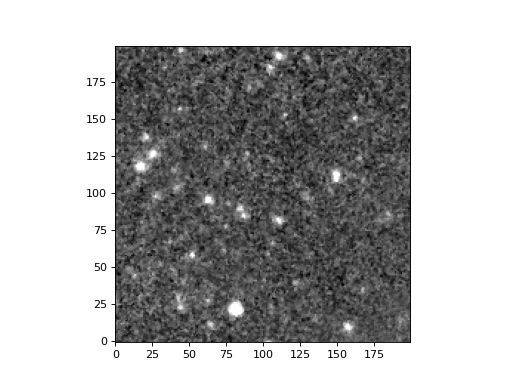
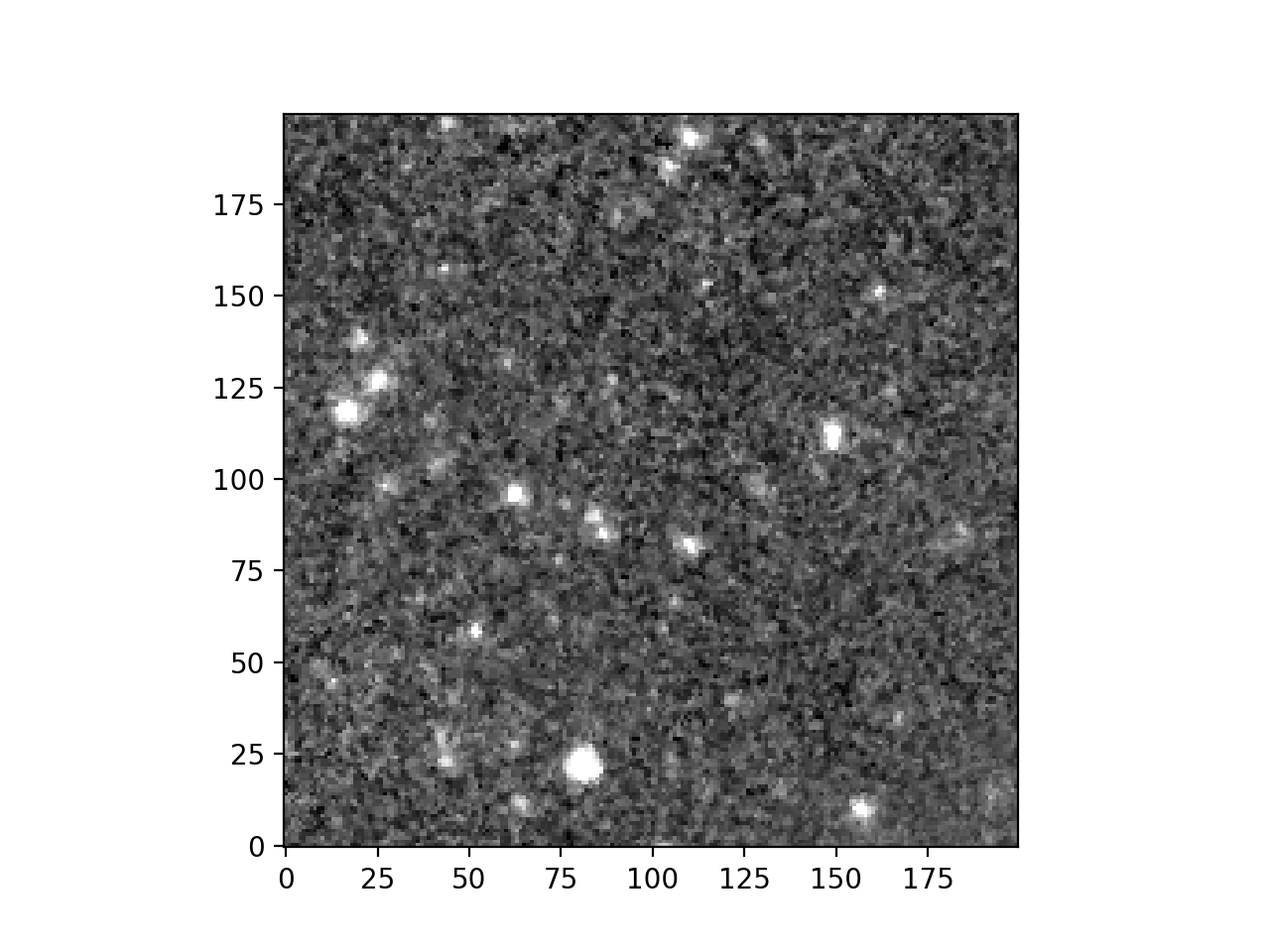
Now you can plot the cutout.
>>> import matplotlib.pyplot as plt
>>> from astropy.visualization import ImageNormalize, ZScaleInterval
>>>
>>> norm = ImageNormalize(cutout.data, interval=ZScaleInterval())
>>> plt.imshow(cutout.data, cmap='grey', norm=norm, origin='lower')
>>> plt.show()
(Source code, png, hires.png, pdf)
Simple Spectral Access queries
query_ssa provides a way to access IRSA’s Simple
Spectral Access VO service. In the following example we are looking for Spitzer
Enhanced Imaging products in the centre of the COSMOS field as a Table.
>>> from astroquery.ipac.irsa import Irsa
>>> from astropy.coordinates import SkyCoord
>>> from astropy import units as u
>>>
>>> coord = pos = SkyCoord.from_name('Arp 220')
>>> arp220_spectra = Irsa.query_ssa(pos=coord)
Without specifying the collection, the query returns results from multiple collections. For example this target has spectra from SOFIA as well as from Spitzer.
>>> from astropy.table import unique
>>> unique(arp220_spectra, keys='dataid_collection')['dataid_collection']
<MaskedColumn name='dataid_collection' dtype='object' description='IVOA Identifier of collection' length=5>
         goals
herschel_herus
  sofia_fifils
spitzer_irsenh
   spitzer_sha
To list available collections for SSA queries, the
list_collections method is provided, and
will return a Table.
>>> from astroquery.ipac.irsa import Irsa
>>> Irsa.list_collections(servicetype='SSA')
<Table length=41>
       collection
         object
------------------------
                   champ
                   goals
          herschel_digit
       herschel_gotcplus
                     ...
             spitzer_sha
           spitzer_sings
           spitzer_ssgss
                    swas
                 thrumms
Miscellaneous Tools
Moving Object Searches
The most module provides access to IRSA’s Moving Object Search Tool (MOST) which can determine if images, taken by a selection of surveys and missions, intersect in both space and time with the orbit of a known solar system object or user-defined orbital parameters.
Dust Extinction Service
The irsa_dust module can query IRSA’s dust extinction service to get the Galactic dust reddening values for a variety of filters at specified sky coordinates.
Other Configurations
By default the maximum number of rows that is fetched is set to 500. However, this option may be changed by changing the astroquery configuration file. To change the setting only for the ongoing python session, you could also do:
>>> from astroquery.ipac.irsa import Irsa
>>> Irsa.ROW_LIMIT = 1000   # 1000 is the new value for row limit here.
Reference/API
astroquery.ipac.irsa Package
IRSA Query Tool
This module contains various methods for querying the IRSA Services.
Classes
|
Configuration parameters for |